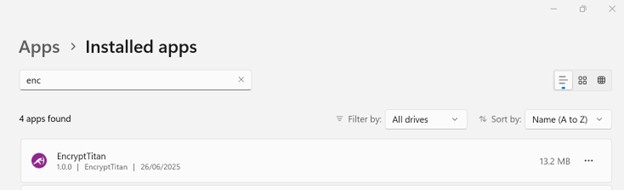
Follow the steps below to uninstall the EncryptTitan Outlook Plug-In:On your machine, go to System Settings > Add or Remove Programs and search for EncryptTitan.Click the ellipsis (...) on the EncryptTitan entry, and then select Uninstall.